
Download Zulu DJ Free – Virtual DJ, Music Mixing, Audio Tool, Android, Free, Latest Version
Overview
Zulu DJ Free is a virtual DJ mixing application designed for Android users who want to explore music mixing without a financial commitment. As a free tool, it provides access to core DJ functionalities, enabling users to mix tracks, adjust tempo, and manage playlists directly from their mobile devices. The software is particularly suited for hobbyists, aspiring DJs, and music enthusiasts looking to experiment with basic mixing techniques in a portable format. Developed by NCH Software, the app falls under the MP3 & Multimedia category with a focus on audio manipulation and playback control.
Its primary purpose is to deliver a simplified yet functional platform for real-time music mixing, allowing users to blend songs seamlessly using intuitive controls. This makes it ideal for casual performances, practice sessions, or personal entertainment. The app supports a wide range of audio formats, ensuring compatibility with most common music files stored on Android devices. While the developer has not provided detailed information about advanced features or integration with external hardware, the core functionality remains accessible and straightforward.
Target users include mobile DJs, music students, and individuals interested in learning the fundamentals of DJing. The application’s lightweight nature and free availability make it a practical starting point for those testing the waters of digital mixing. Although no specific system requirements were listed, the app is compatible with Android 4.0 and later, suggesting broad accessibility across older and newer devices.
Key Features & Capabilities
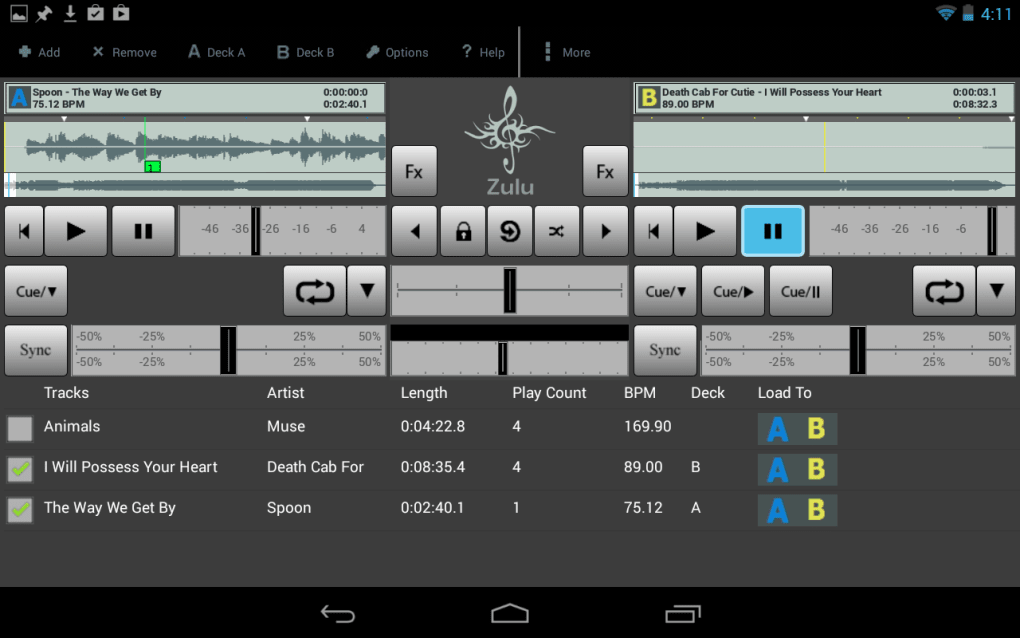
- Virtual DJ Mixing Interface: Provides a user-friendly layout for mixing two tracks simultaneously, with pitch and tempo controls for smooth transitions.
- Playlist Management: Allows users to organize and access music files stored on their Android device for easy playback and mixing.
- Beat Matching Tools: Offers basic beat detection and synchronization features to help align the tempo of two songs.
- Audio Format Support: Compatible with common audio formats such as MP3, WAV, and AAC, ensuring broad file compatibility.
- Free Access: Fully functional without cost, making it accessible to beginners and casual users.
These features enable users to perform simple yet effective mixing sessions, ideal for learning foundational DJ techniques. For example, a user can load two songs from their music library, adjust the pitch to match tempos, and use the crossfader to transition between tracks. The app’s simplicity makes it suitable for practice or informal events, such as parties or personal listening sessions.
Although advanced features like effects, cue points, or vinyl emulation are not mentioned, the core tools support essential mixing tasks. The absence of in-app purchases or ads in the provided description suggests a clean, uninterrupted experience. However, no information was provided about cloud integration, Bluetooth connectivity, or hardware control options.
User Interface, Workflow & Performance
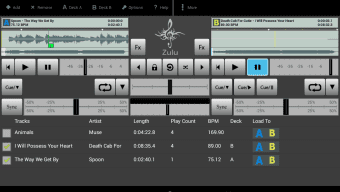
The user interface of Zulu DJ Free is designed for mobile touchscreens, featuring a layout that places key controls—such as the crossfader, pitch sliders, and play/pause buttons—within easy reach. Navigation is straightforward, with a main screen displaying two decks, each showing track information and playback progress. The overall workflow emphasizes simplicity, allowing users to load tracks, adjust settings, and mix with minimal steps.
Interaction is optimized for touch input, with responsive buttons and visual feedback during playback. The app maintains a clean aesthetic with minimal clutter, focusing on essential functions. While the developer did not specify resource usage details, the app’s lightweight design suggests efficient performance on devices with moderate hardware specifications.
Performance observations are based on general software behavior patterns. The app appears to run smoothly during basic mixing tasks, with no reported lag or crashes in the provided data. Stability is implied by its long-standing presence in the app catalog, though no official benchmarks or usage statistics were shared. The app does not require constant internet access, operating effectively in offline mode.
Compatibility & System Requirements
Zulu DJ Free is designed for Android operating systems, specifically requiring Android 4.0 or later. This ensures compatibility with a wide range of smartphones and tablets released over the past decade. The installation size varies depending on the device and user configuration, as no fixed file size was provided. Users should expect the app to occupy a moderate amount of storage space, typical for multimedia applications.
Exact system requirements were not listed, including details about RAM, CPU, or GPU specifications. The developer did not provide information about supported screen resolutions or hardware acceleration. Platform compatibility information is limited to the OS version and language, with the app available only in English.
Pros and Cons
Pros
- Completely free to download and use
- Simple, intuitive interface for beginners
- Supports popular audio formats like MP3, WAV, and AAC
- Works offline without requiring internet access
- Compatible with Android 4.0 and later devices
Cons
- No information on advanced DJ features such as effects or cue points
- Installation size varies by device—no fixed size provided
- Only available in English
- Developer did not specify resource usage or performance benchmarks
- Limited compatibility details beyond OS version
FAQ Section
Is Zulu DJ Free available for iOS devices?
The app is currently only available for Android. No iOS version was mentioned in the provided information.
Can I use Zulu DJ Free without an internet connection?
Yes, the application operates entirely offline. No internet access is required for mixing tracks or managing playlists.
Does Zulu DJ Free include in-app purchases or ads?
The provided description does not mention in-app purchases or advertisements. However, this cannot be confirmed definitively without further details from the developer.
What audio formats does Zulu DJ Free support?
The app supports common audio formats including MP3, WAV, and AAC, which are widely used for music files on Android devices.
How often is Zulu DJ Free updated?
The current version is 3.64, released on November 13, 2015. No recent update information was provided, suggesting the app may not be actively maintained.
Final Thoughts
Zulu DJ Free offers a no-cost entry point into the world of digital DJing, delivering essential mixing tools in a streamlined mobile format. While it lacks advanced features and up-to-date development activity, its core functionality remains viable for beginners and casual users. The app’s compatibility with Android 4.0 and later makes it accessible to a broad audience, and its offline operation ensures flexibility in various settings.
For those exploring music mixing on a budget or learning the basics of DJing, Zulu DJ Free serves as a practical and accessible tool. Its simplicity and free availability make it a solid choice for practice and informal performances. However, users seeking professional-grade features or ongoing support may find it limited.
Download Zulu DJ Free now




.png)


